Austin Werner
Case study · Design
Purpose in Action
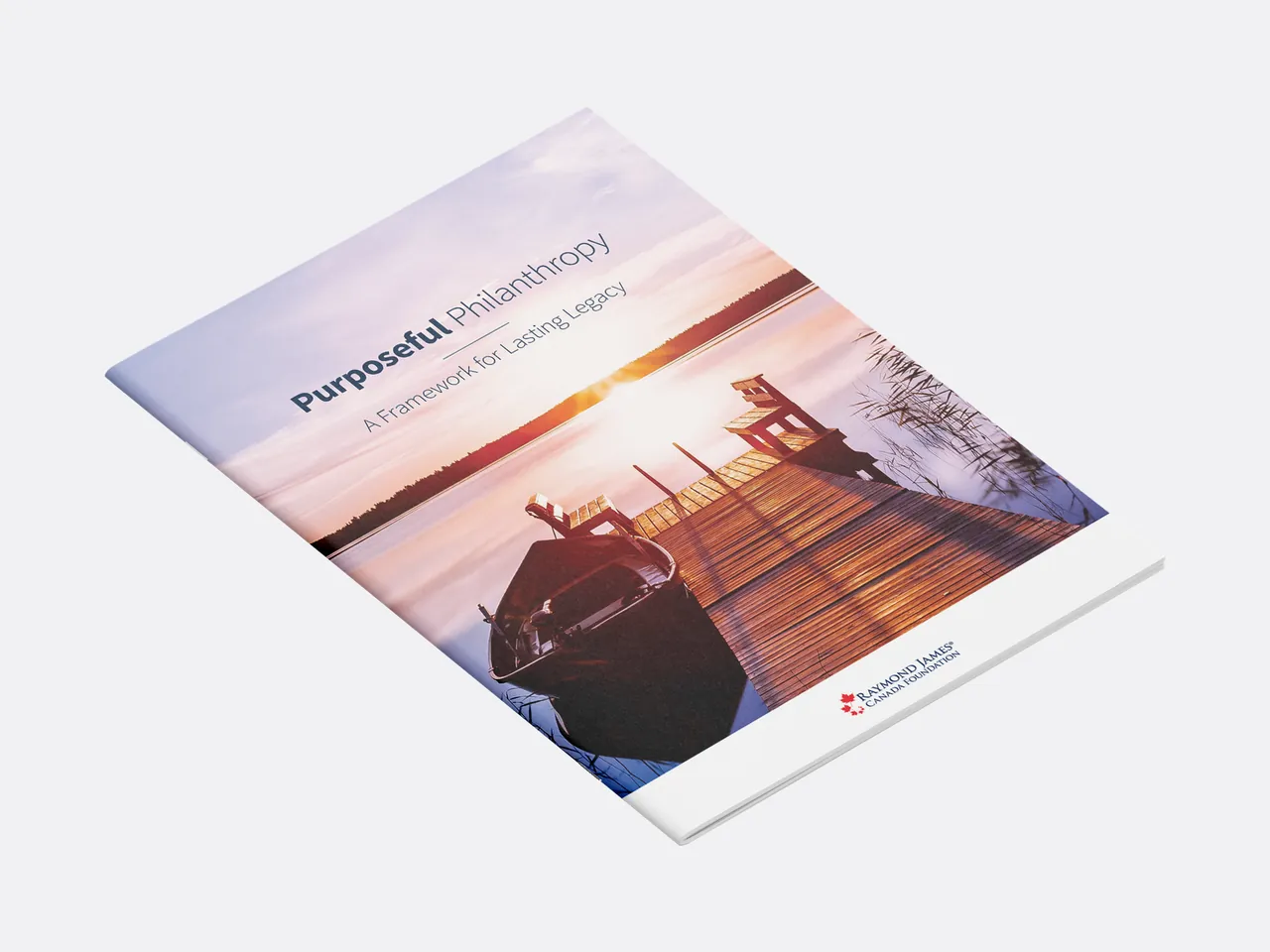
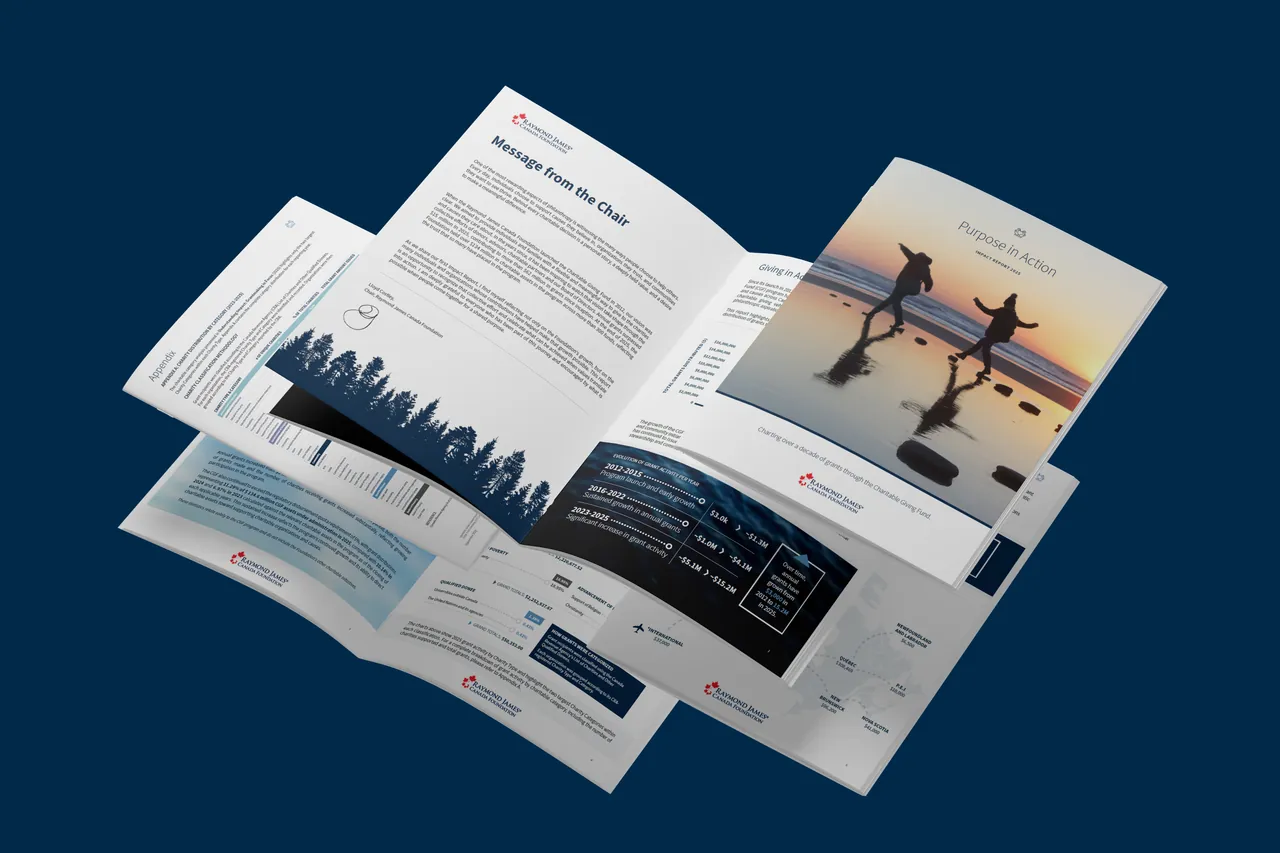
An 8-page Impact Report that turns more than a decade of charitable grant data into a story donors, advisors and charities can read in minutes. It started as copy in a Word document and became the final report in five stages. Delivered in English and French.
The brief
Raymond James Canada Foundation’s Charitable Giving Fund had been granting since 2012 but had never published an impact report. This was the first: a single publication that recognises donors, advisors and charities, and shows where the money goes.
The challenge
The source material was dense: annual grant totals across 14 years, charity categories, regional distribution and a multi-year growth story, plus regulatory context. It had to read as warm and human rather than as a spreadsheet, and work in print and as a PDF.
The process
- Shape the story from the copyStarted from two drafts of the Executive Summary and Letter from the Chair, five pages each, to decide the themes, the sections and the numbers worth showing.
- Lay it out twiceDesigned a first 8-page version and then an 11-page second version with photographic covers, both titled A Legacy of Giving.
- Build the system in InDesignSet up one grid, a restrained navy-and-sky palette and a single type family so every chart, table and callout feels related, with custom node diagrams, an annotated growth chart and ranked category cards.
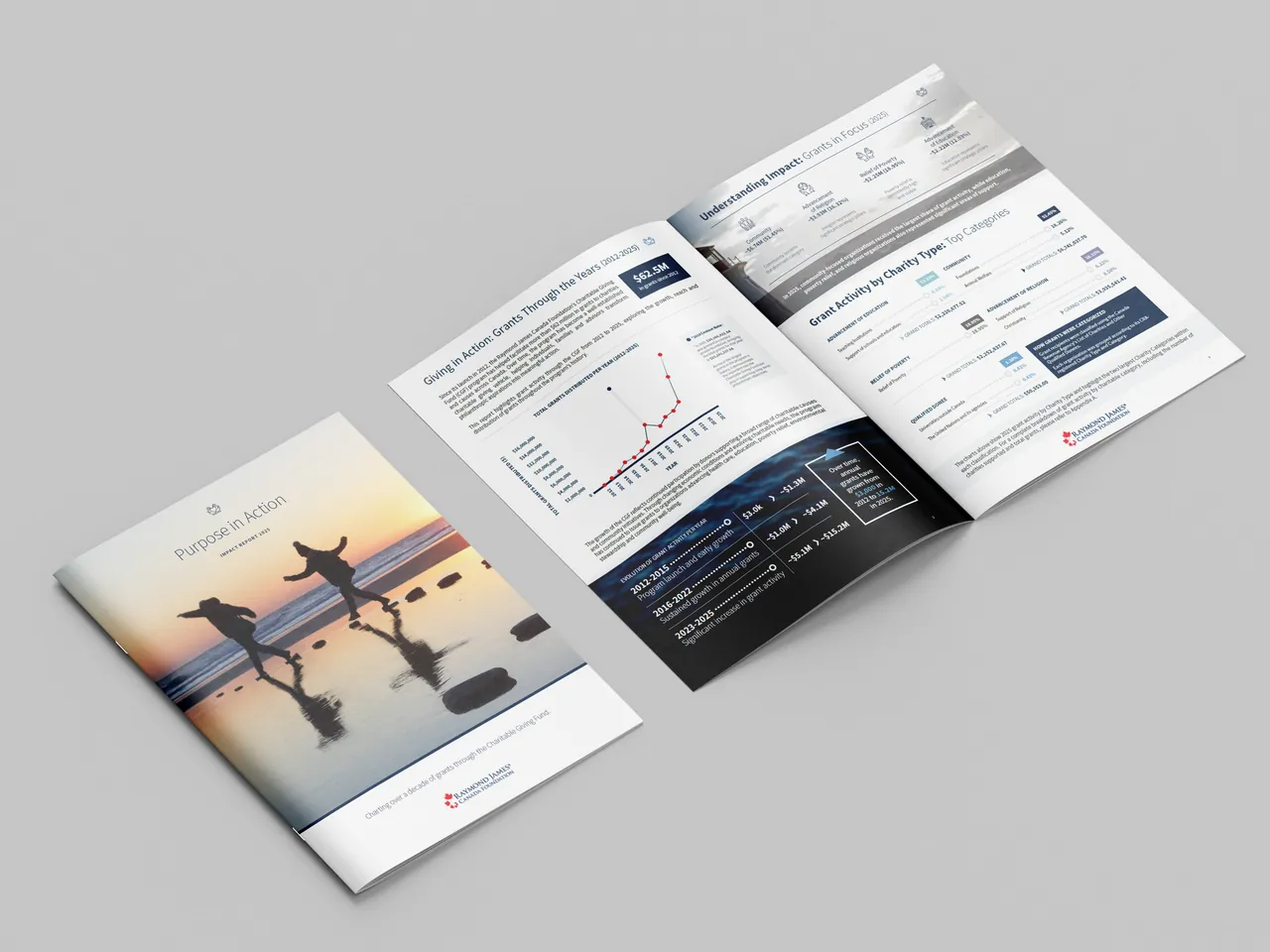
- Finish and presentRenamed the final report Purpose in Action, prepared a print-spread PDF with crop marks and showed it as a printed booklet.
From Word copy to final design
The journey in five stages, from the first copy drafts to the finished booklet.
Stage 1
The copy
Two Word drafts of the Executive Summary and Letter from the Chair, five pages each. This is where the themes, the growth story and the sections were worked out, before any layout.
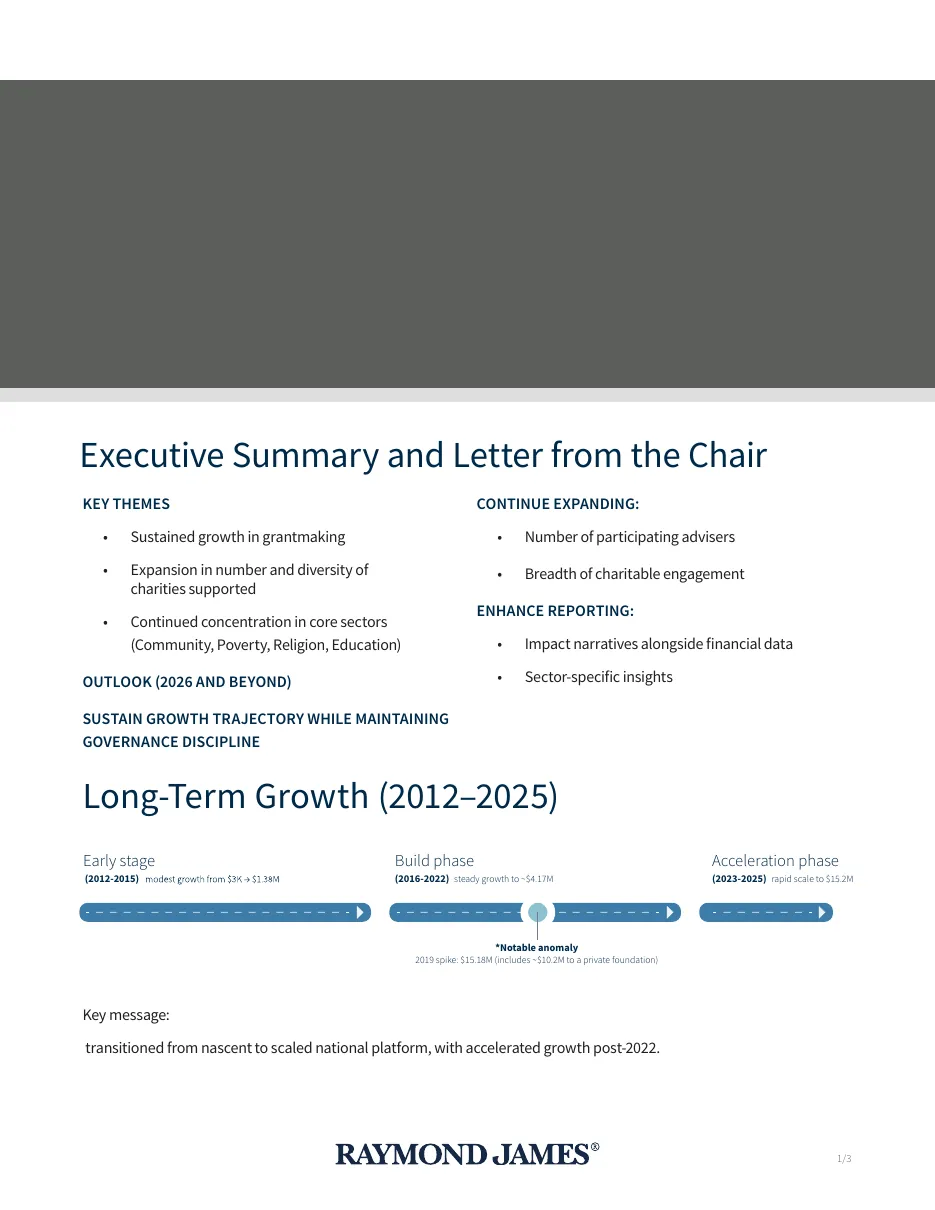
Draft 1: key themes and outlook 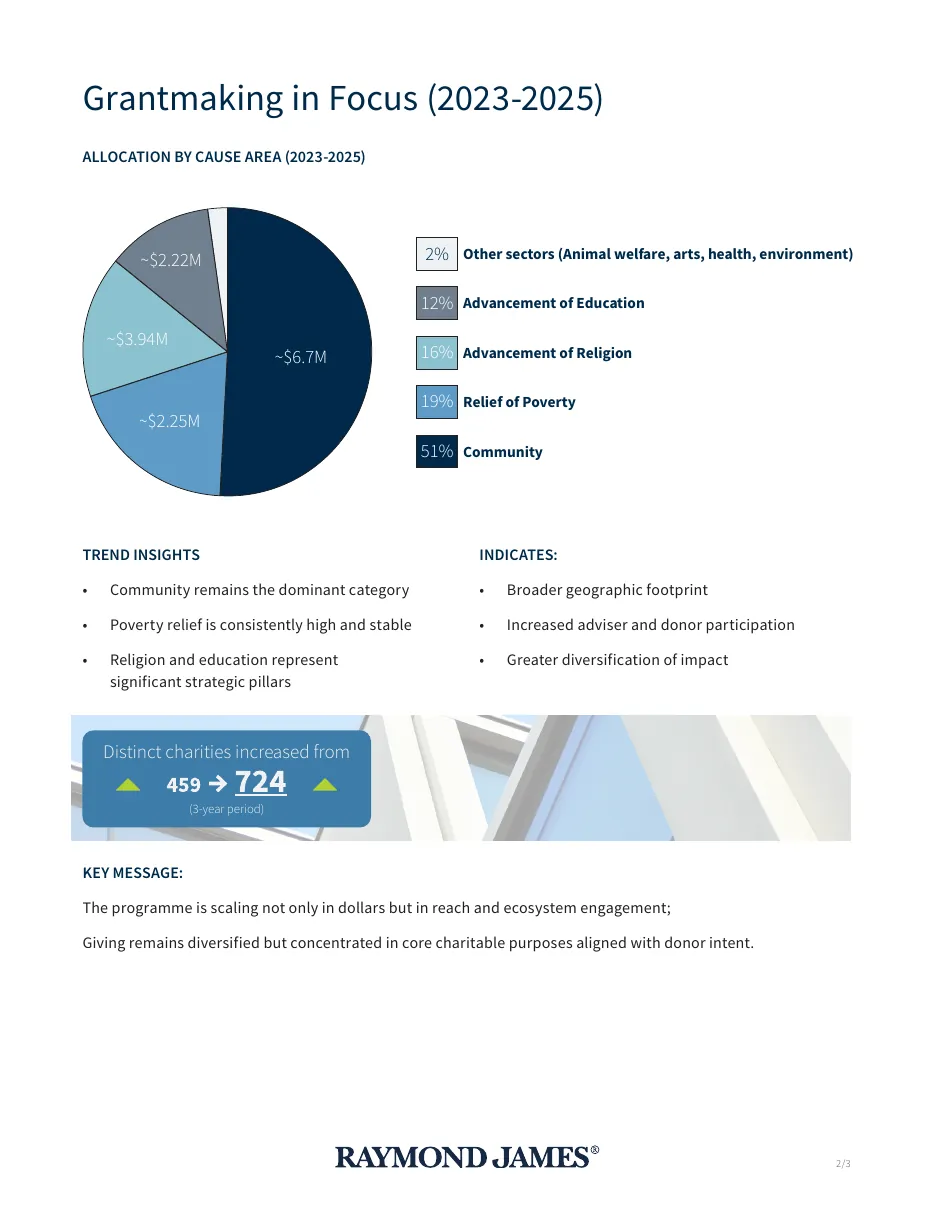
Draft 1: grants by cause 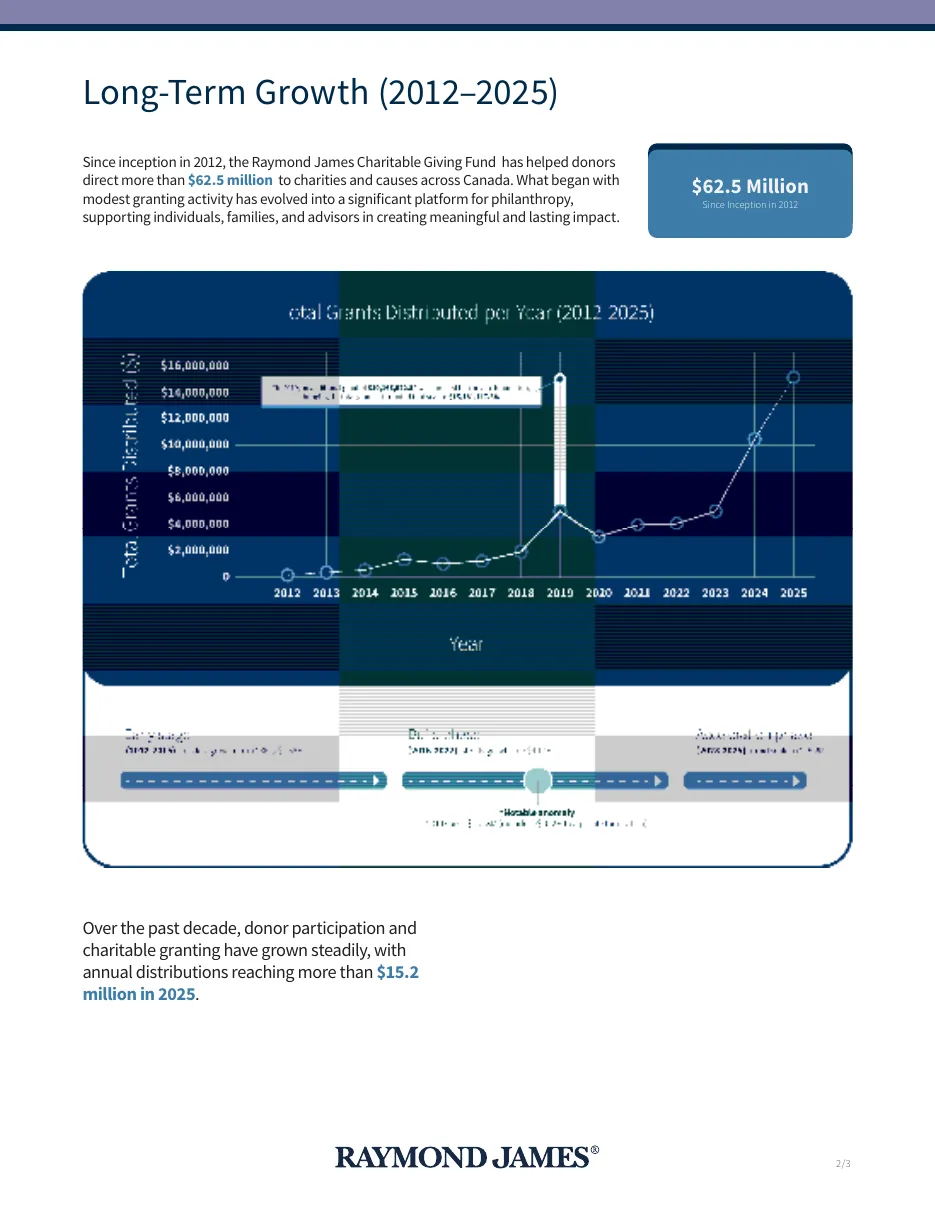
Draft 2: long-term growth chart 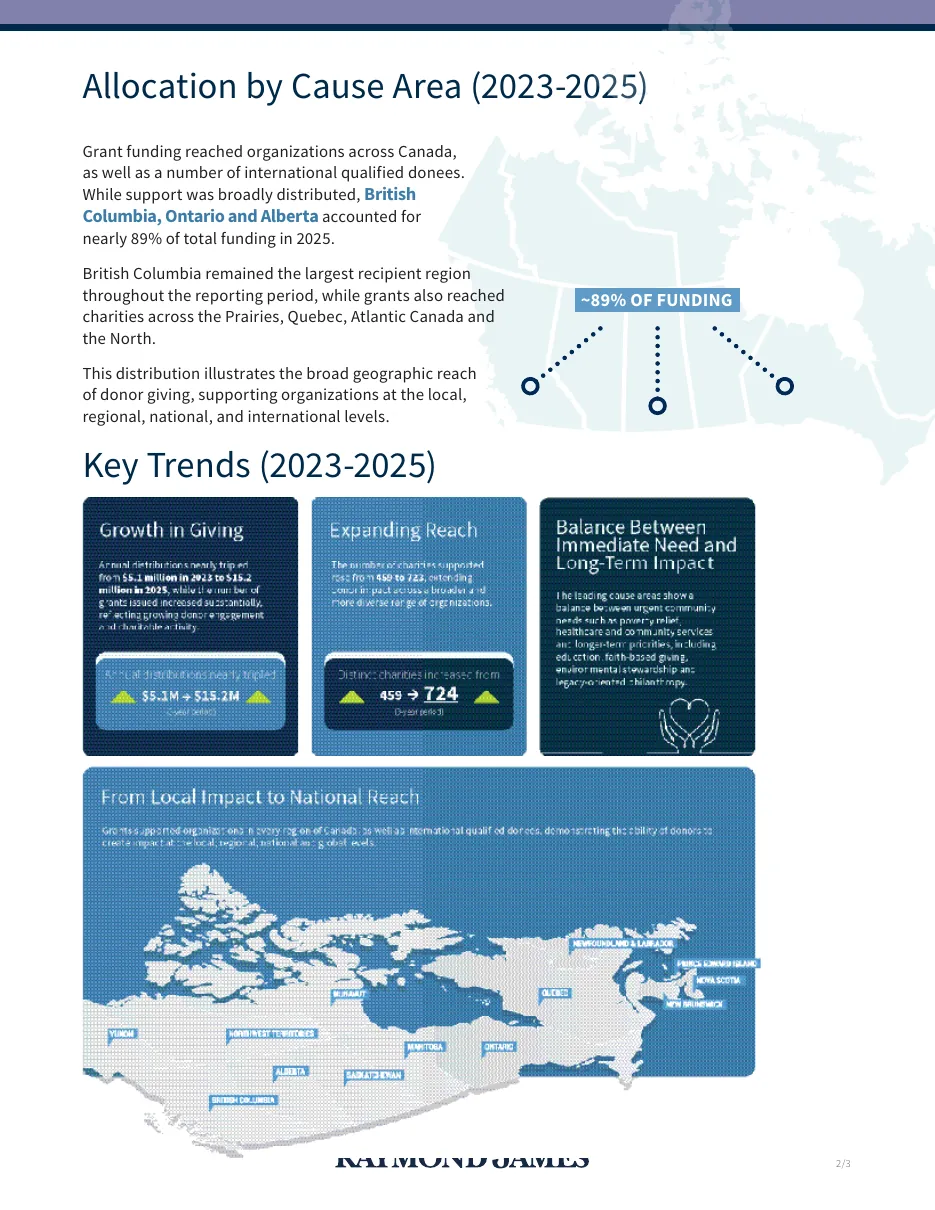
Draft 2: map and key trends Stage 2
Version 1: A Legacy of Giving
The first designed layout, 8 pages, with the growth chart, scale-and-reach and cause-area pages in place.
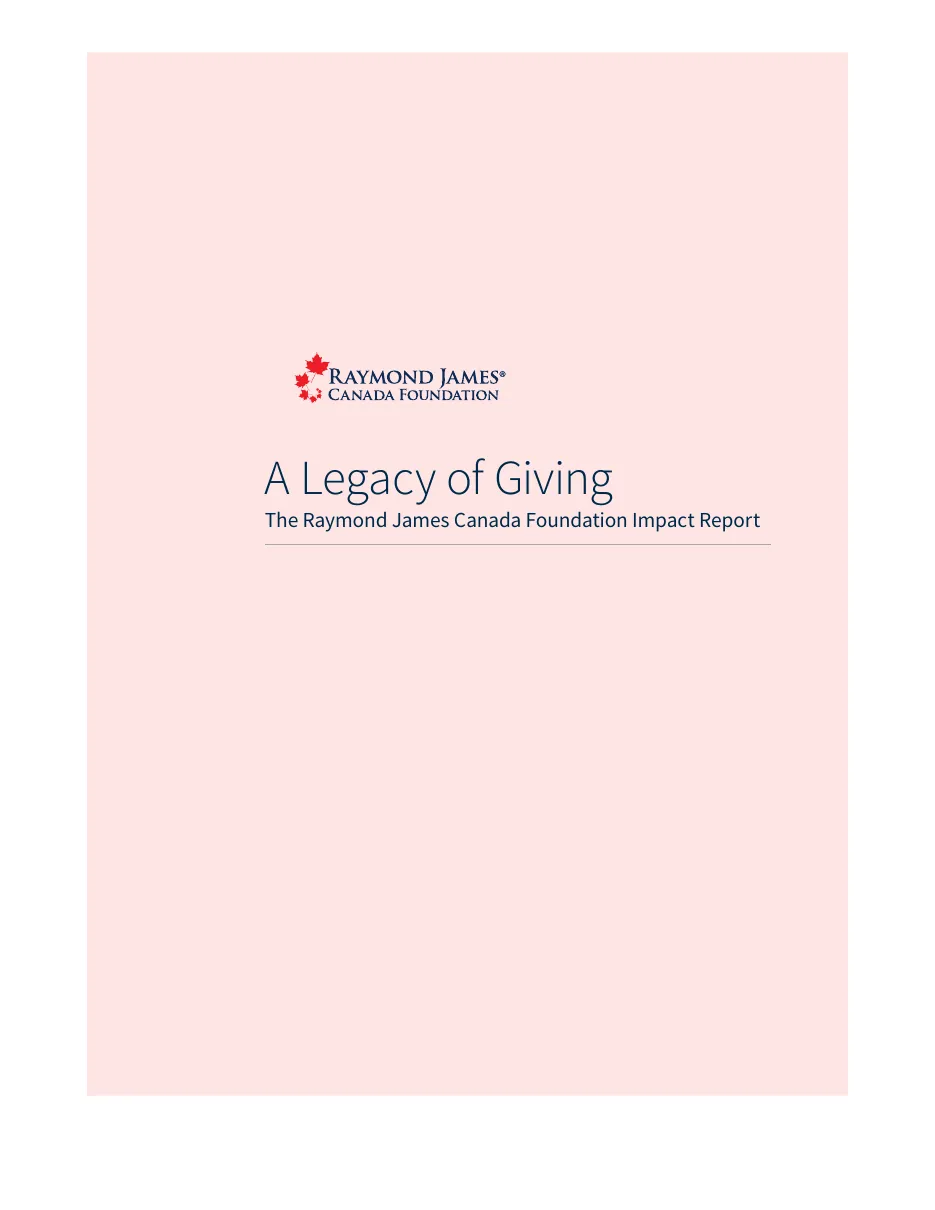
Opening page 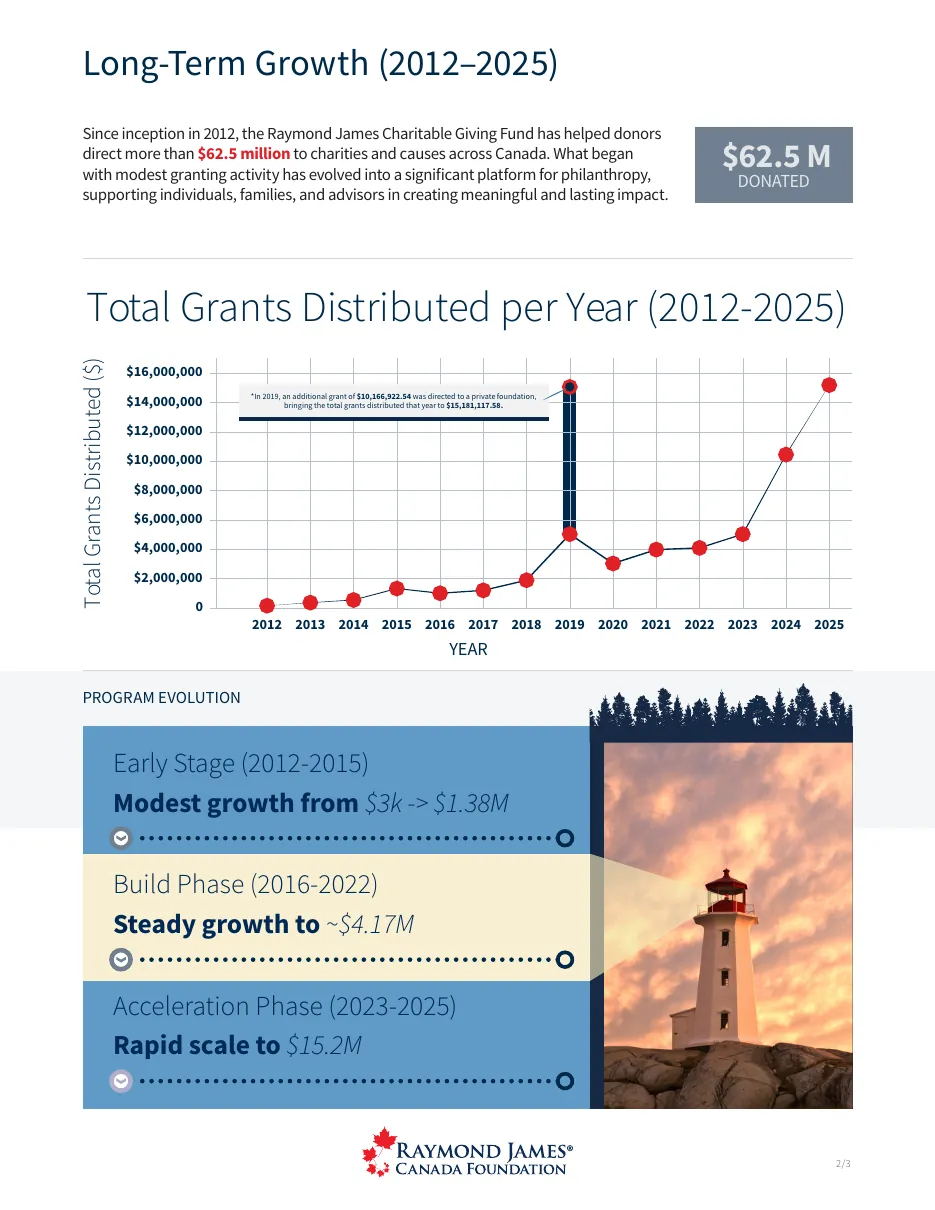
Grantmaking overview 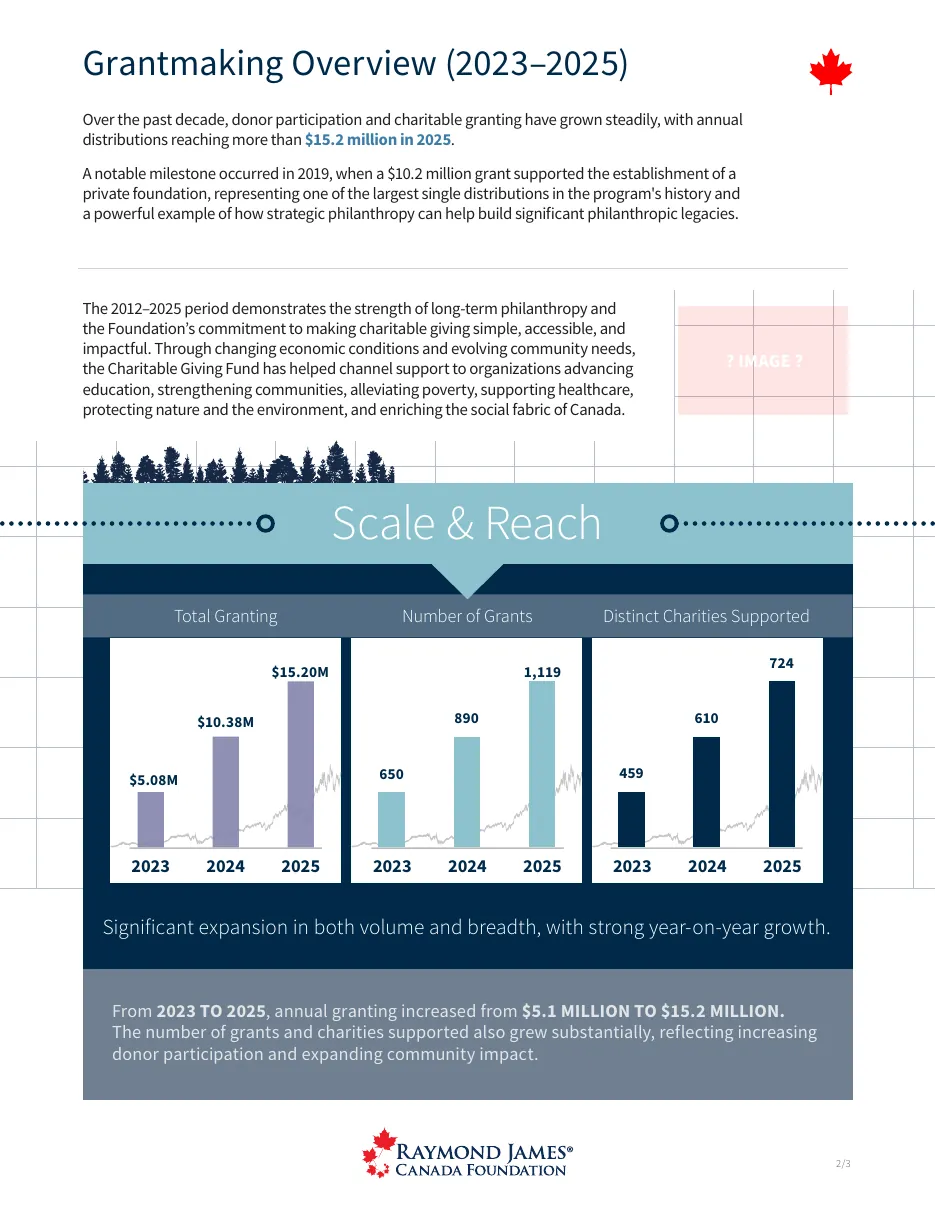
Grantmaking in focus 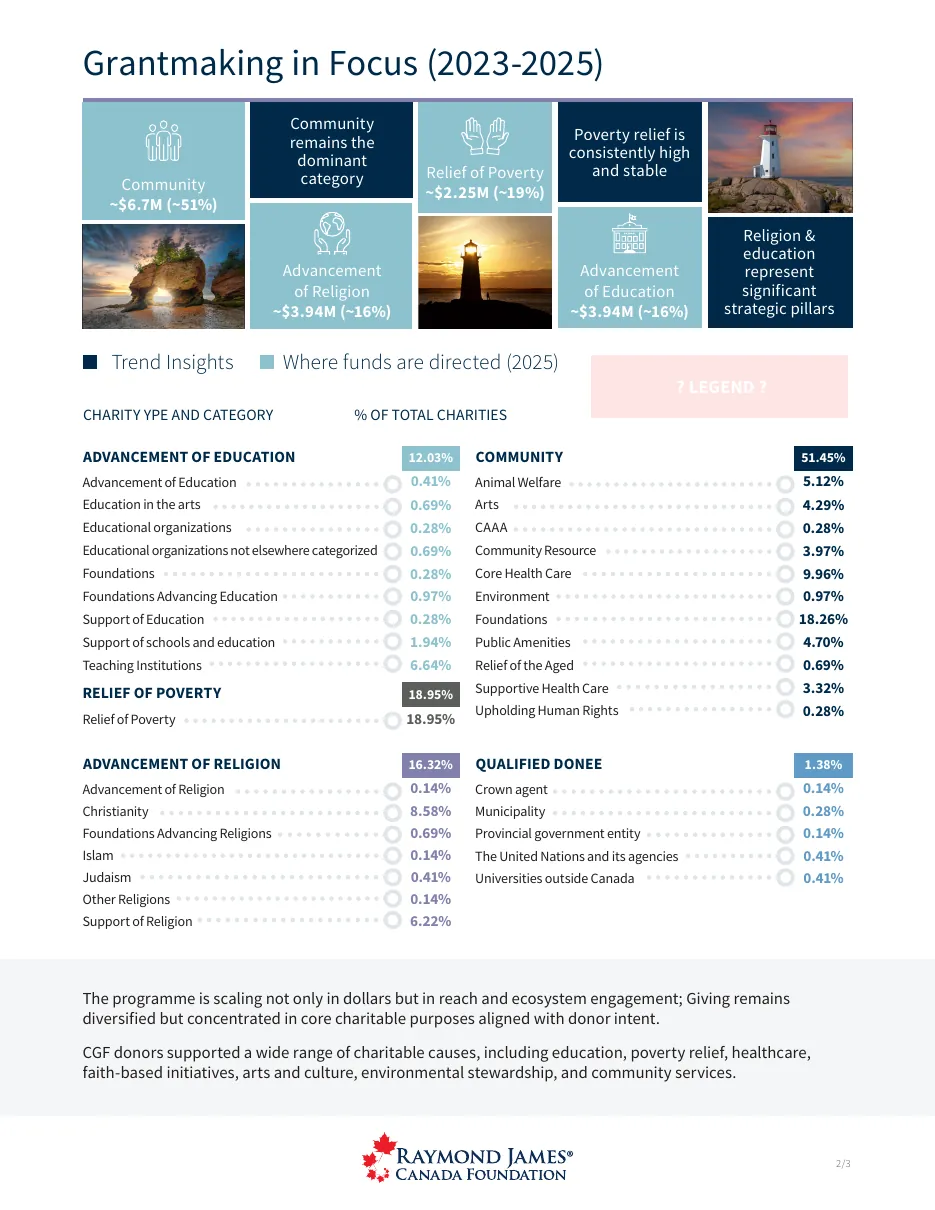
Allocation by cause area Stage 3
Version 2: photo covers
The second layout, 11 pages, adding photographic covers while keeping the title A Legacy of Giving.
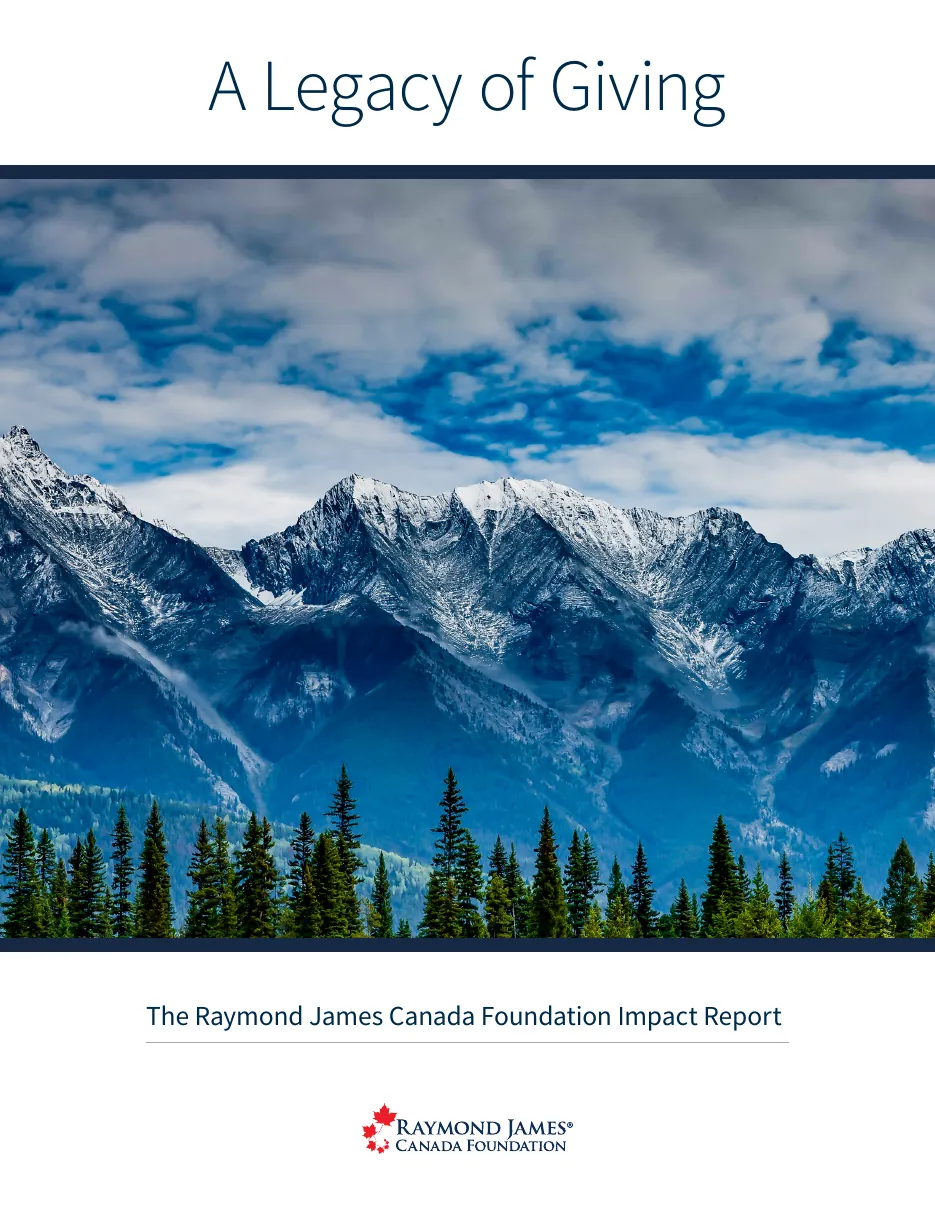
Cover with a mountain photograph 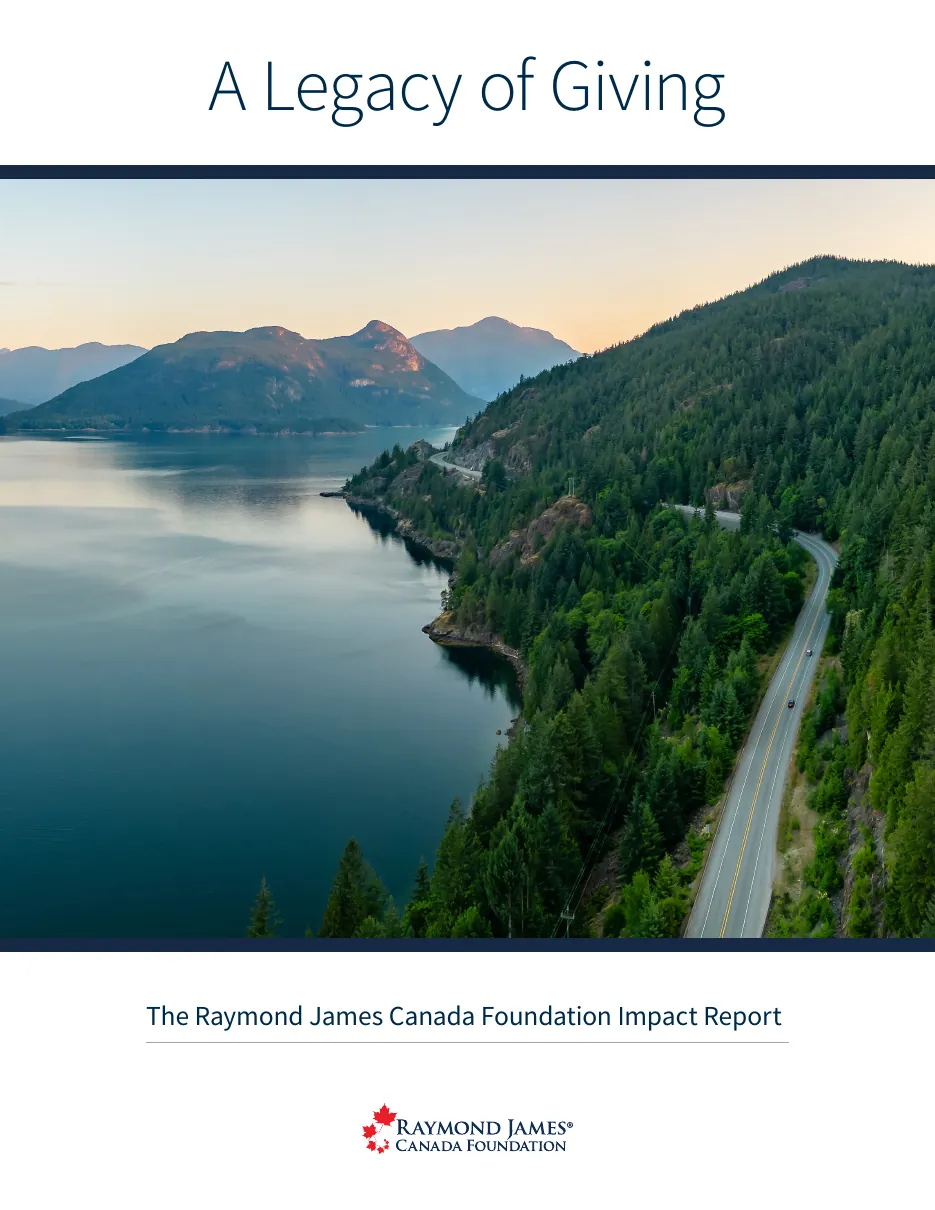
Cover with a lake photograph 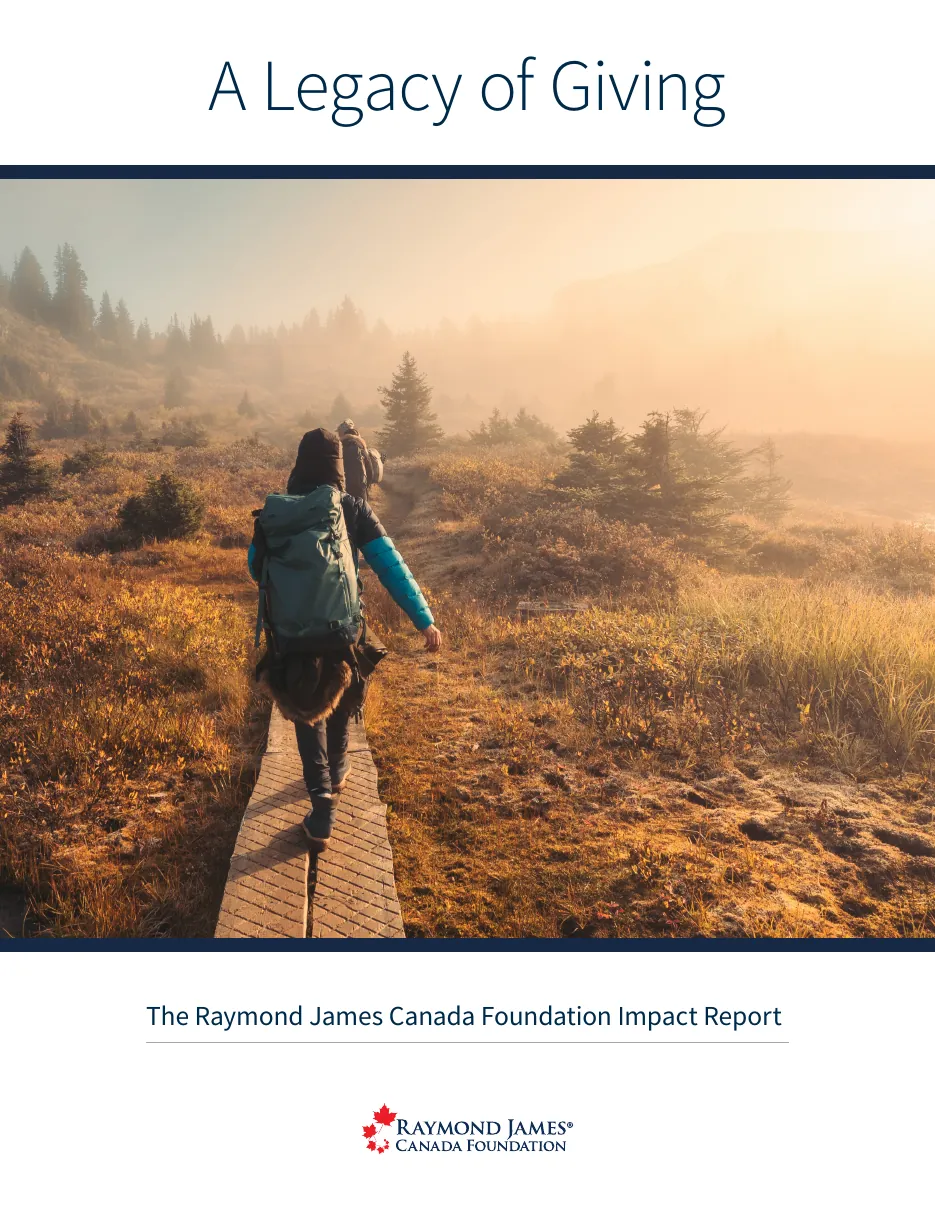
Cover with a trail photograph 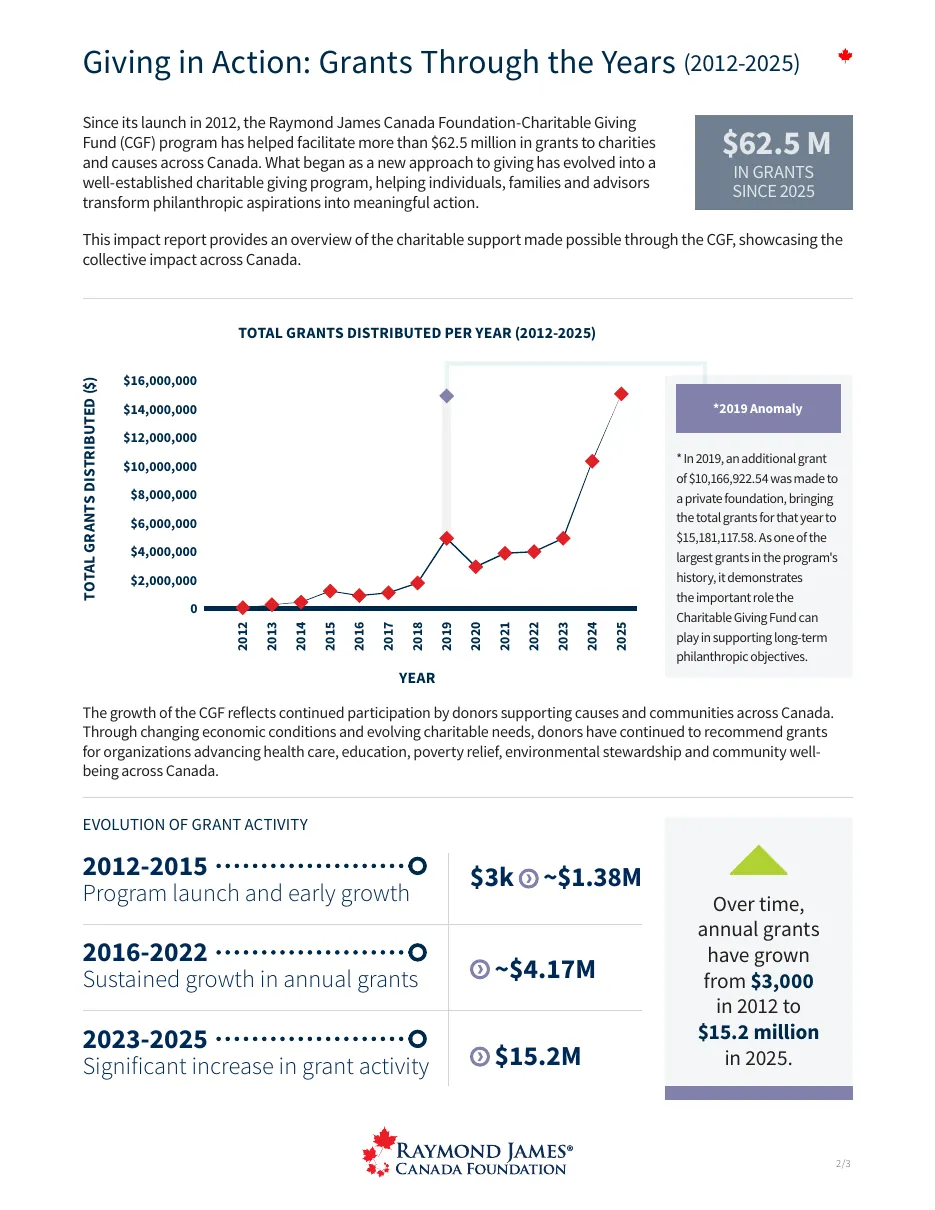
Growth chart page Stage 4
The InDesign working file
The Growing Impact page open in InDesign, with grid guides, text frames and the eight-page panel.
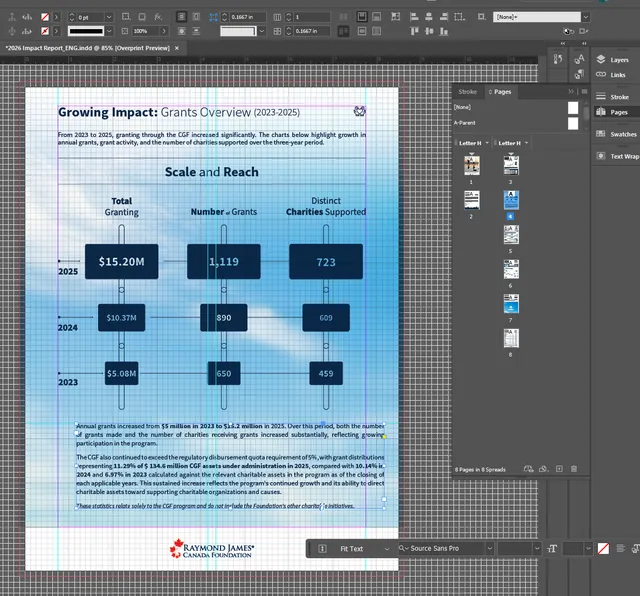
InDesign working file, with grid and guides visible Stage 5
Final: Purpose in Action
The final 8-page report, retitled Purpose in Action, with the message from the chair, the growth story and the data pages.
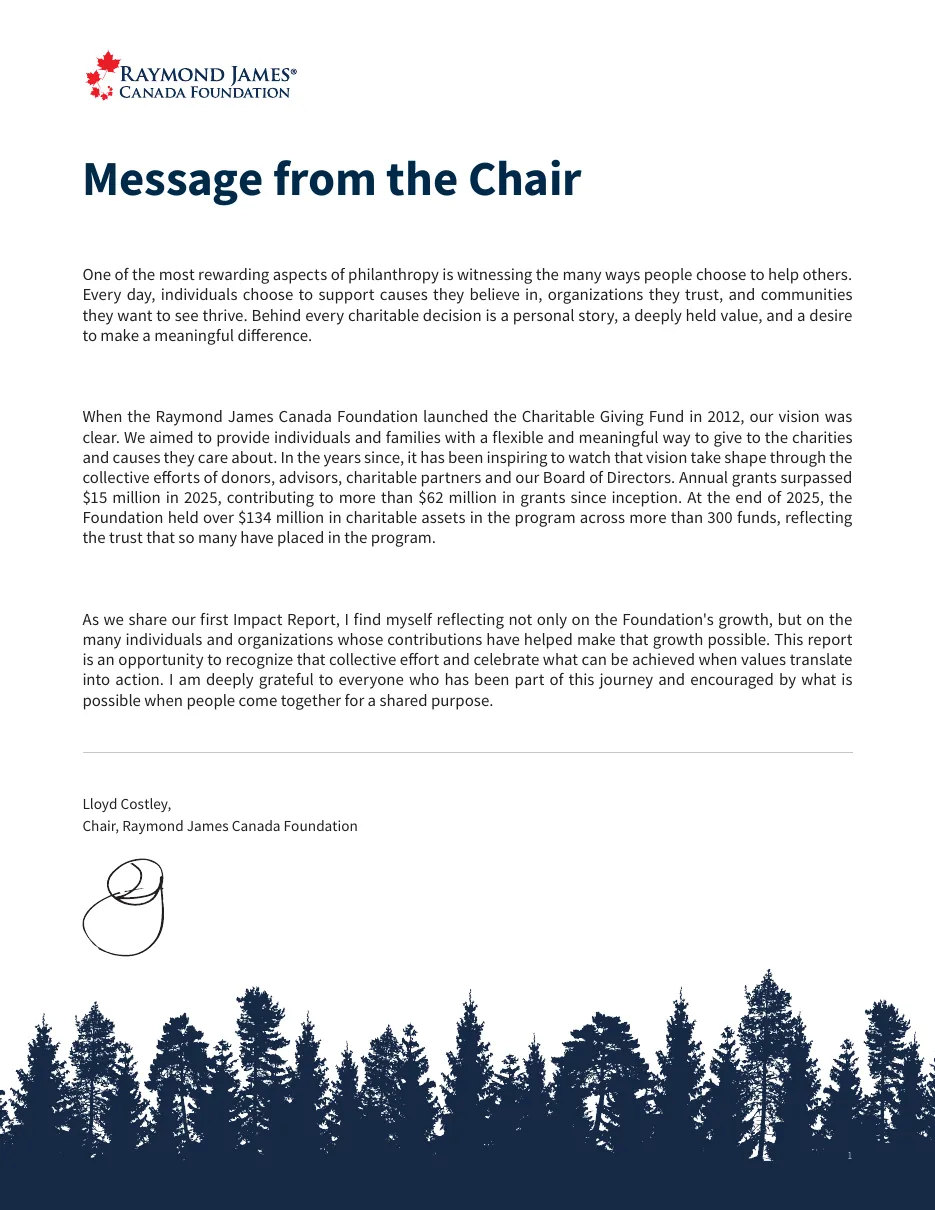
Message from the Chair 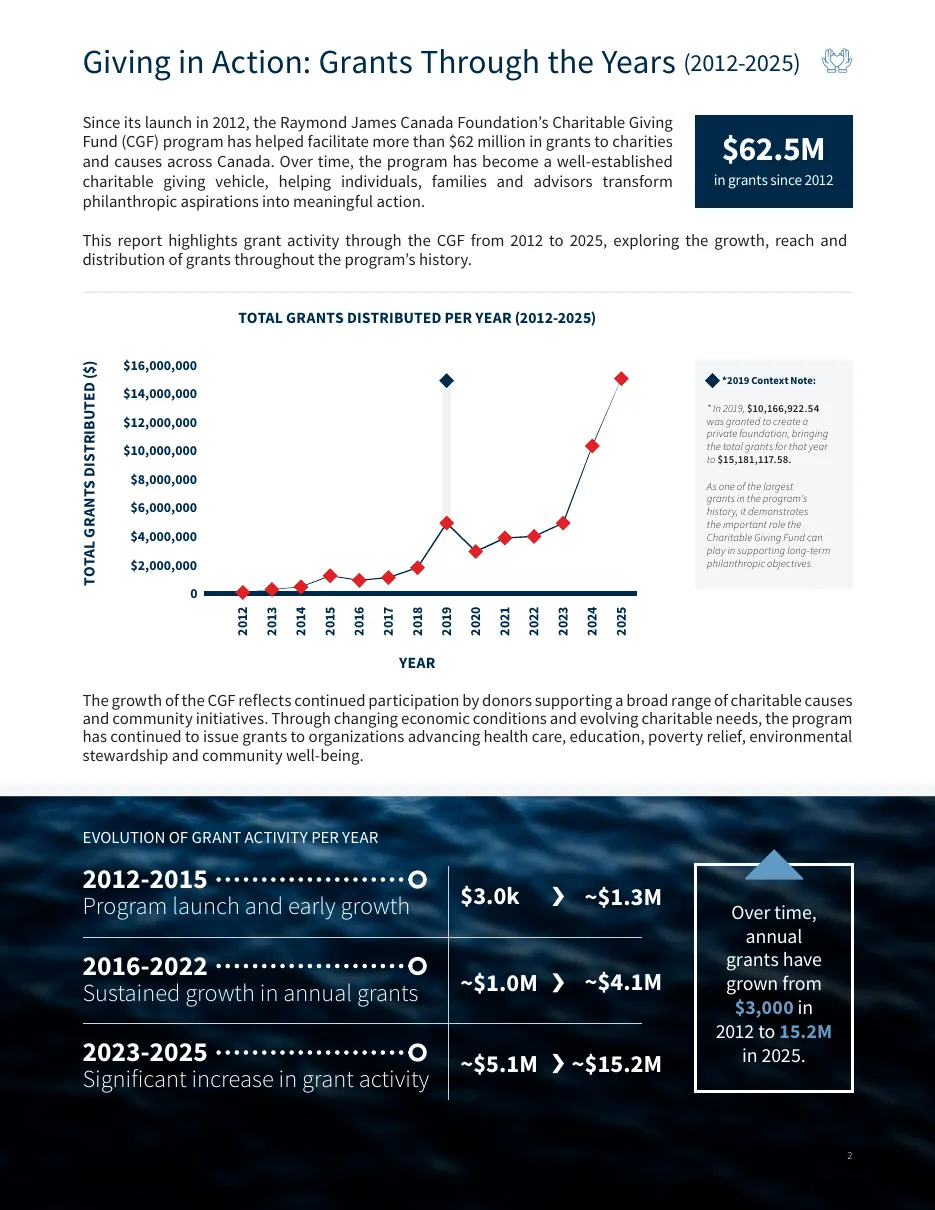
Grants through the years 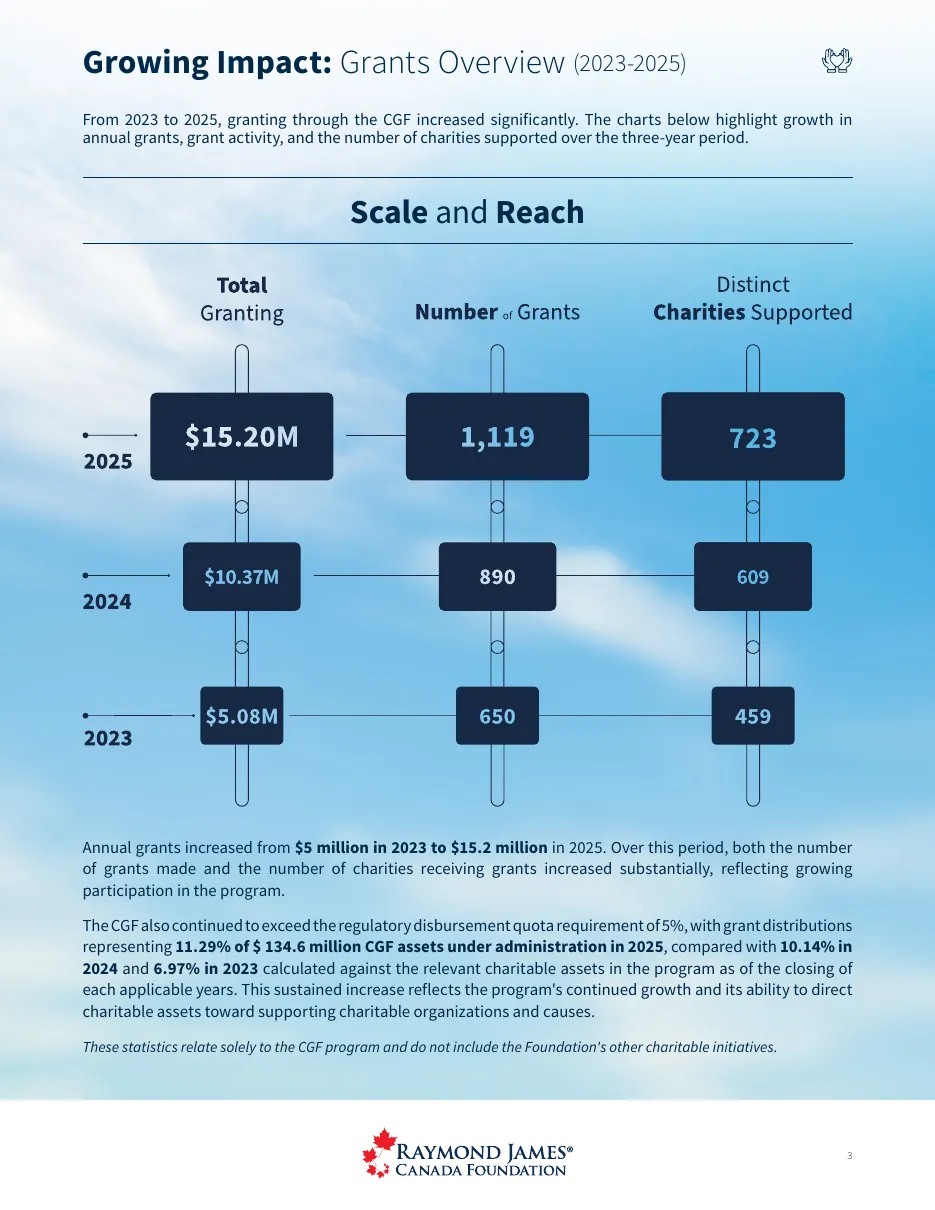
Growing impact 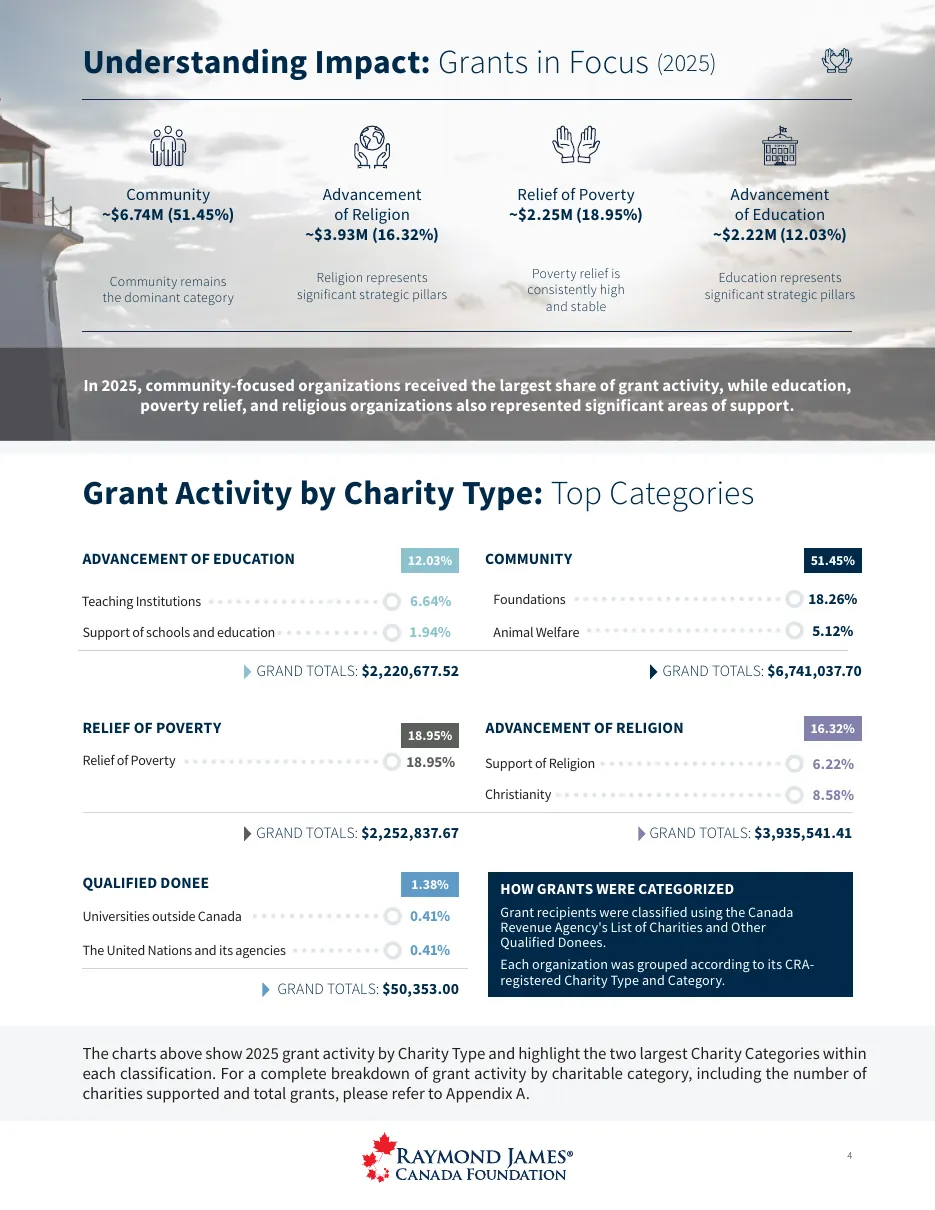
Understanding impact
In the real world
The result
Delivered a complete Impact Report in English and French, including print-ready spreads.
MISSING: Cover reads “Impact Report 2025” while the working file is named 2026: confirm the correct year for the title.
MISSING: Optional: a short video or PDF flip-through of the final report.
MISSING: Austin: the brief, challenge and process on this page are drafted from the work and your resume. Please correct or add detail.